Add Amazon affiliate picks to your paper
Your paper's ad slot can carry Amazon picks under your own tracking id: a book or product with its cover, one line, and a button to the store. Amazon pays the commission straight to you, and DRM3 takes no share. Here is the whole setup, one screen at a time.
At a glance
- Your time
- About 10 minutes on your paper, once Amazon has given you a tracking id.
- What you need
- An Amazon Associates account and its tracking id. For each pick, the name of a book or product and its Amazon link. Every plan has Amazon picks, Free included.
- What to expect
- Your picks show in your paper's ad slot to free readers. Amazon pays the commission straight to you, and DRM3 takes no share. A found cover shows at once. Your own photo waits until a person looks at it.
Join Amazon Associates Amazon's part
Go to affiliate-program.amazon.com and sign up with your Amazon account. When Amazon asks for your website, give your paper's address. Amazon gives you a tracking id at once. It looks like yourname-20. Amazon keeps the account open after your first three sales in 180 days. That rule is Amazon's.
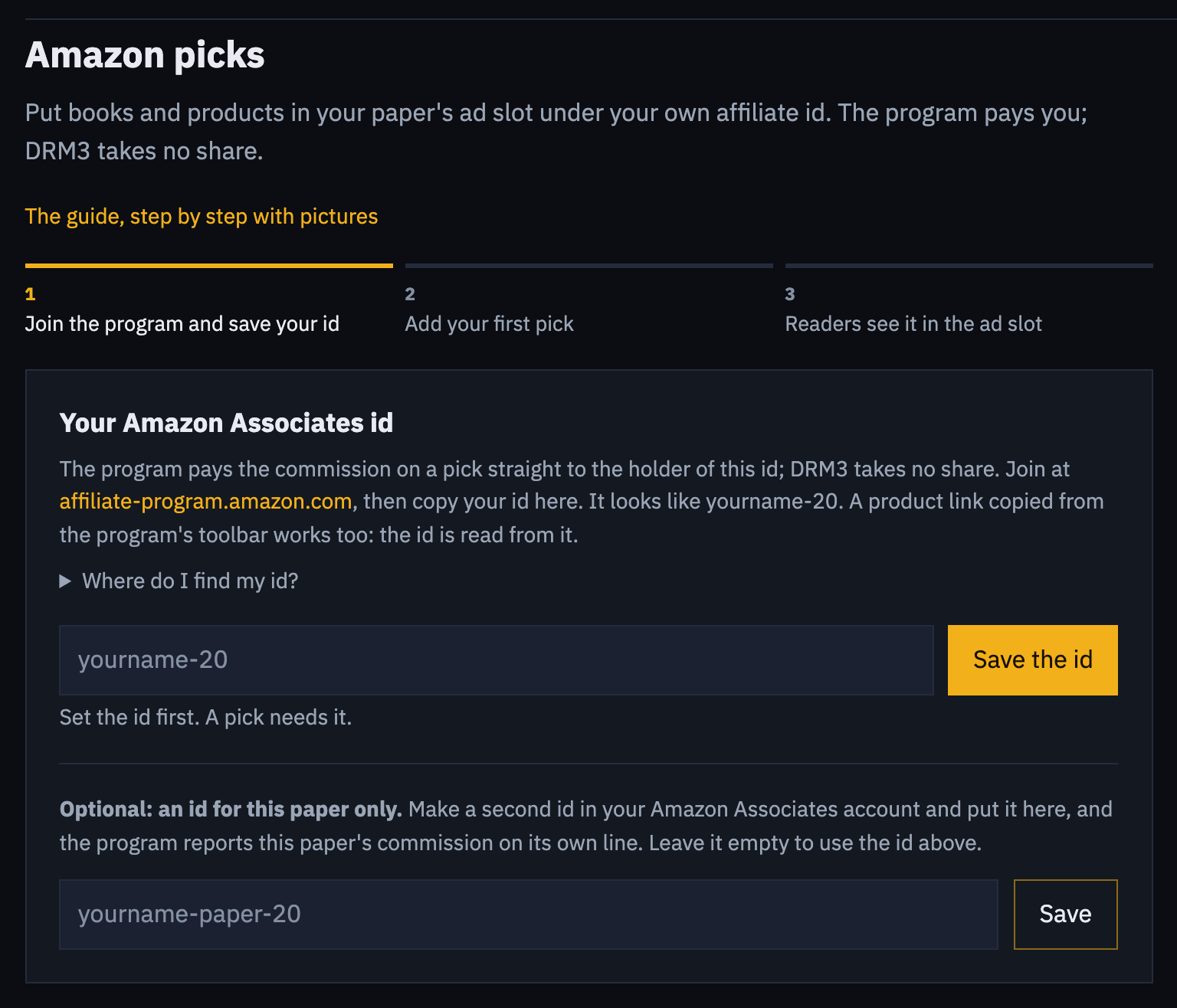
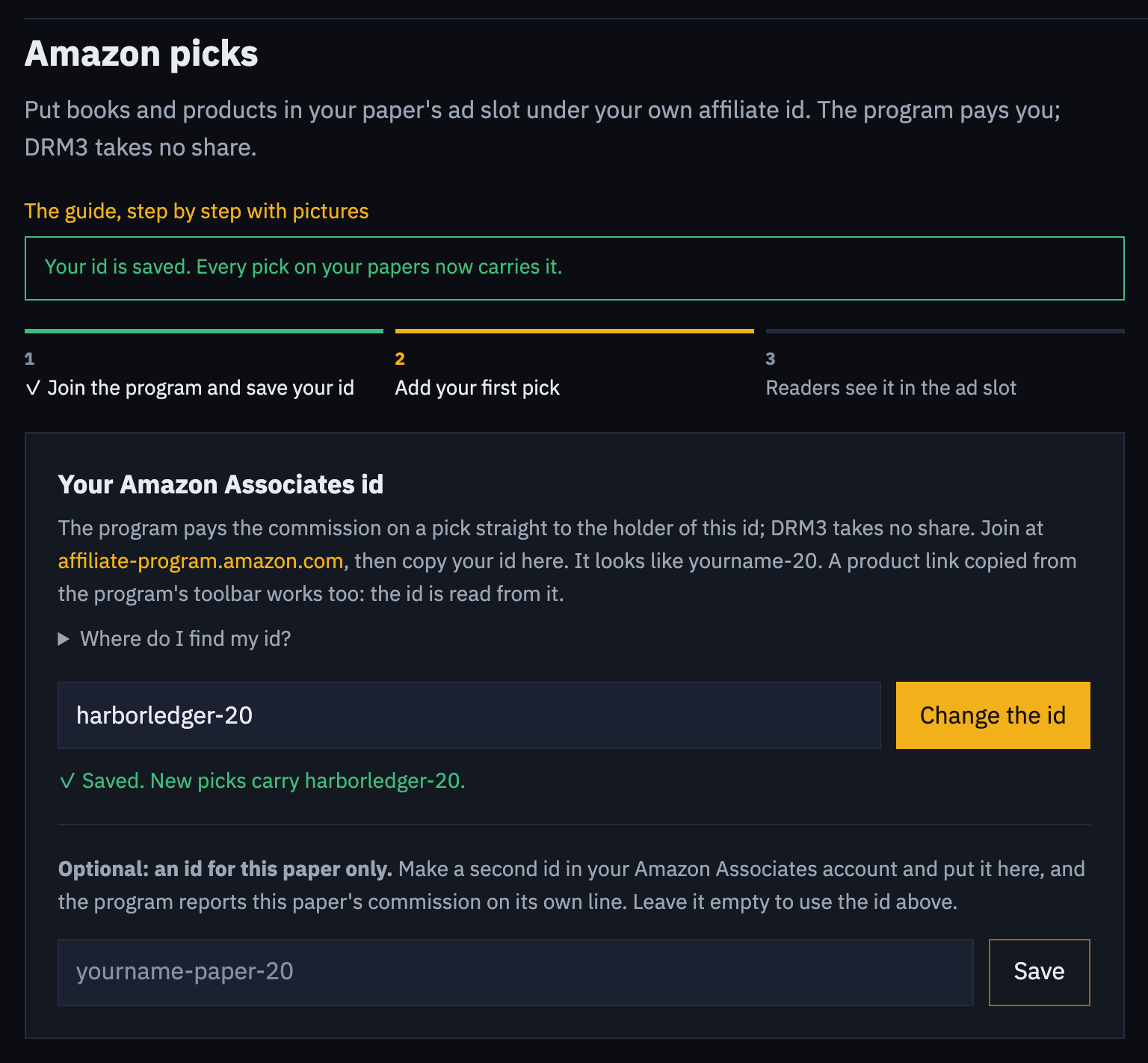
Save your tracking id ~1 min
Open your paper's Settings, then Amazon picks. Paste your tracking id and press Save the id. A product link copied from Amazon's toolbar works too: the id is read from it. To find your id again, sign in to Amazon Associates. It is at the top right of the page, and under Account Settings, Manage Your Tracking IDs.
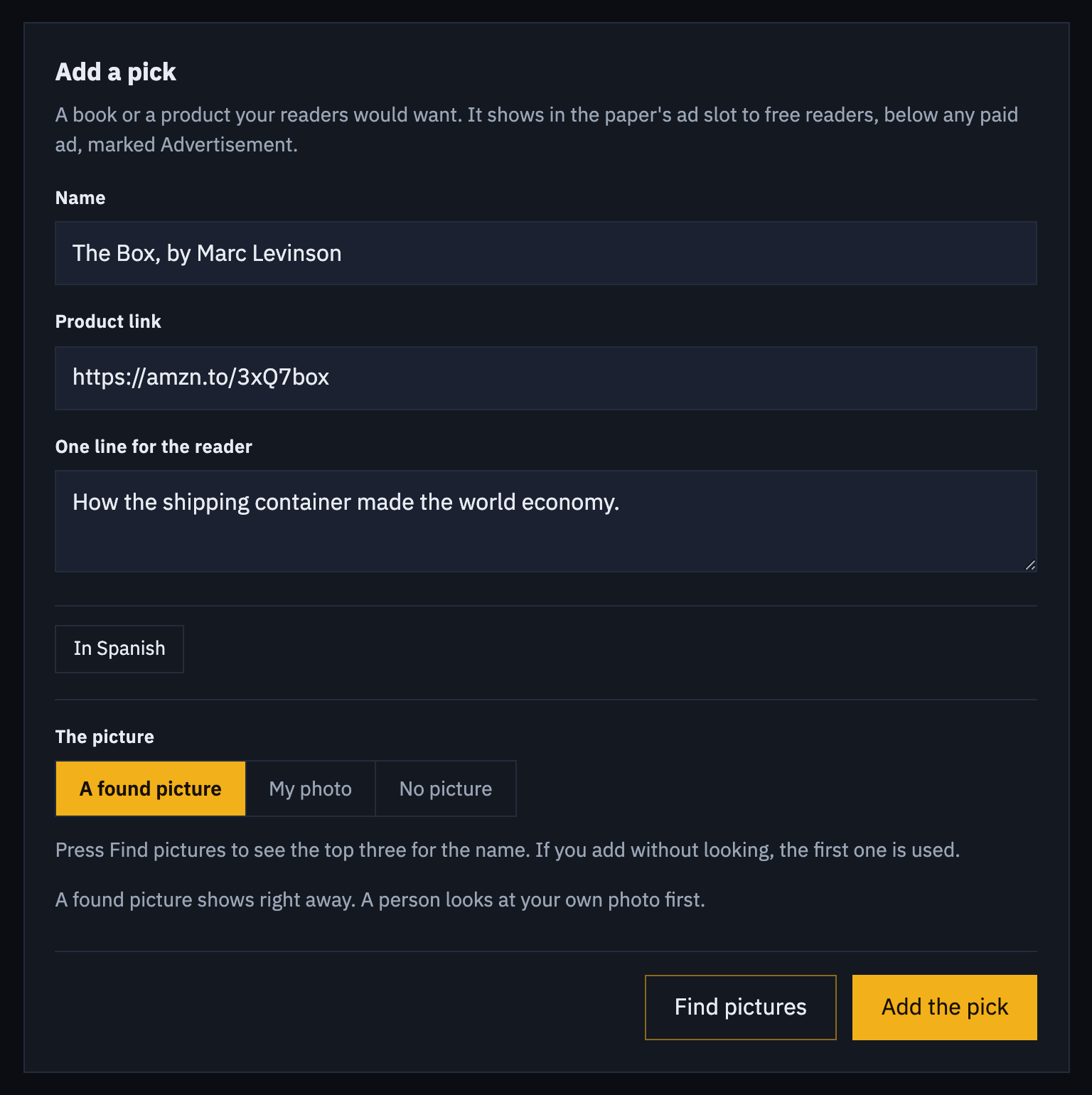
Add a pick ~2 min
Under Add a pick, type the name, like The Box, by Marc Levinson. Paste the Amazon product link. A short amzn.to or a.co link works. For a book you can leave the link empty, and the pick links an Amazon search for the name. Add one line on why a reader would want it. The Spanish name and line are optional. Readers who read your paper in Spanish see them.
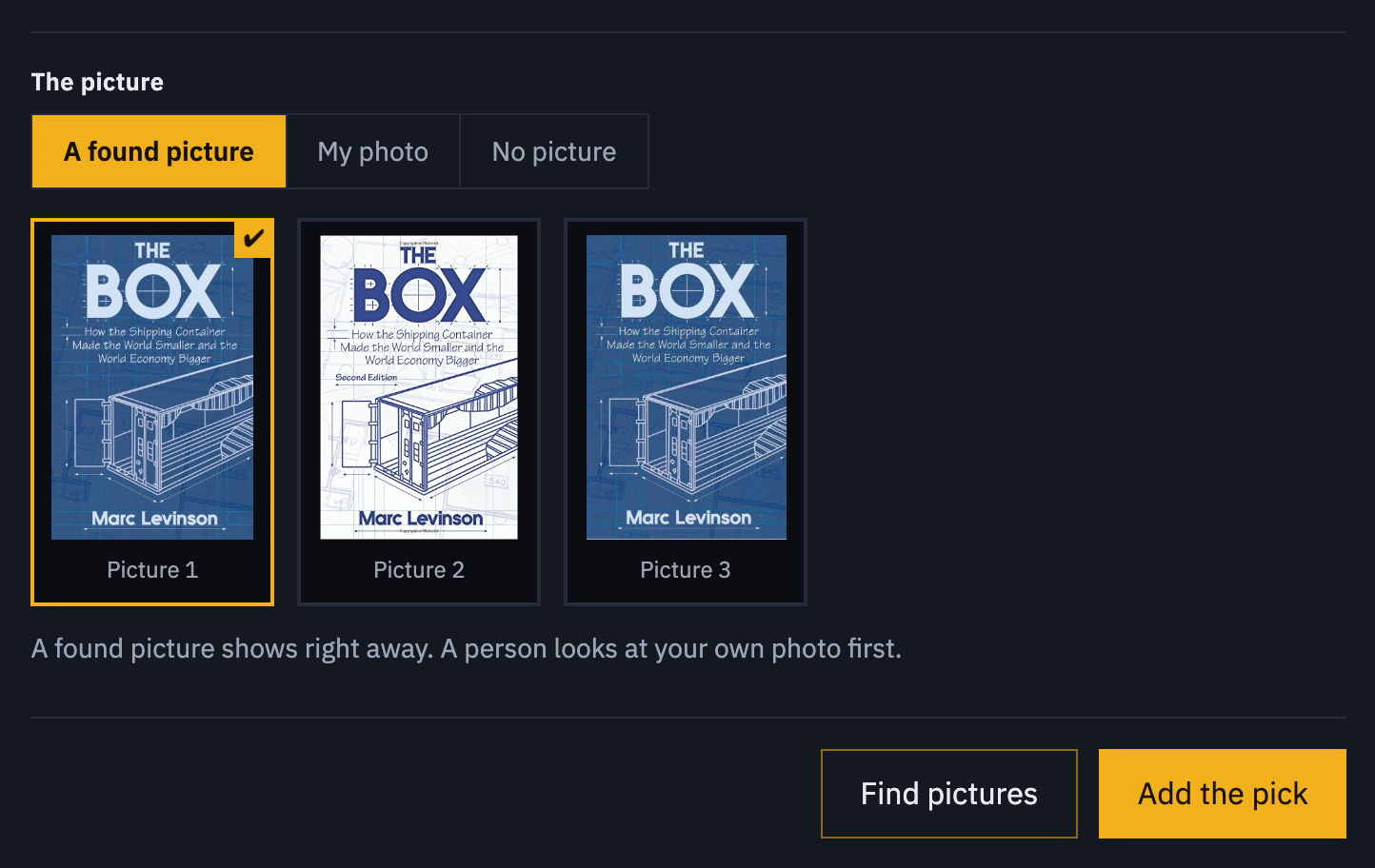
Choose the picture ~1 min
Press Find pictures. The page shows the top three covers for the name. Click the one you want, then press Add the pick. To use your own photo, choose My photo and pick the file. To show no picture, choose No picture. If you add without looking, the first cover is used. If no cover is found, the pick shows without a picture and the page says so.
Readers see it at once
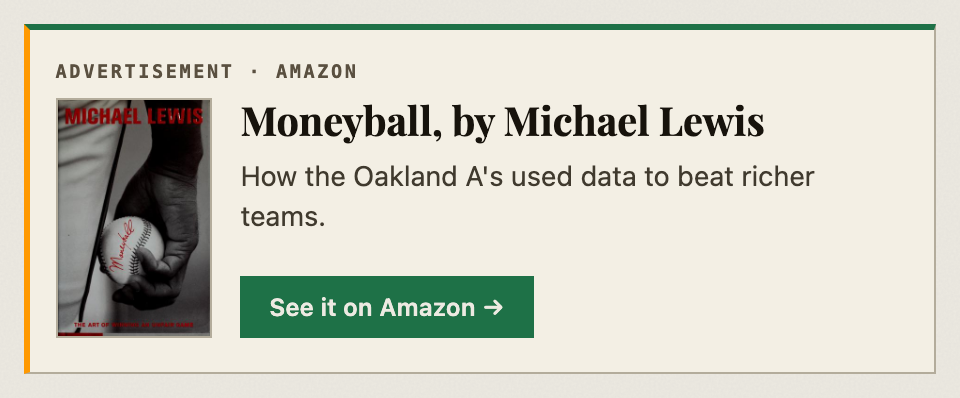
The pick shows in your paper's ad slot to readers who do not pay, marked Advertisement, with the picture, your line and a button to the store. When you have several picks, they take turns. Only your own picks show there, unless your paper is in the DRM3 ad network. Then paid ads show first.
Watch it and change it day to day
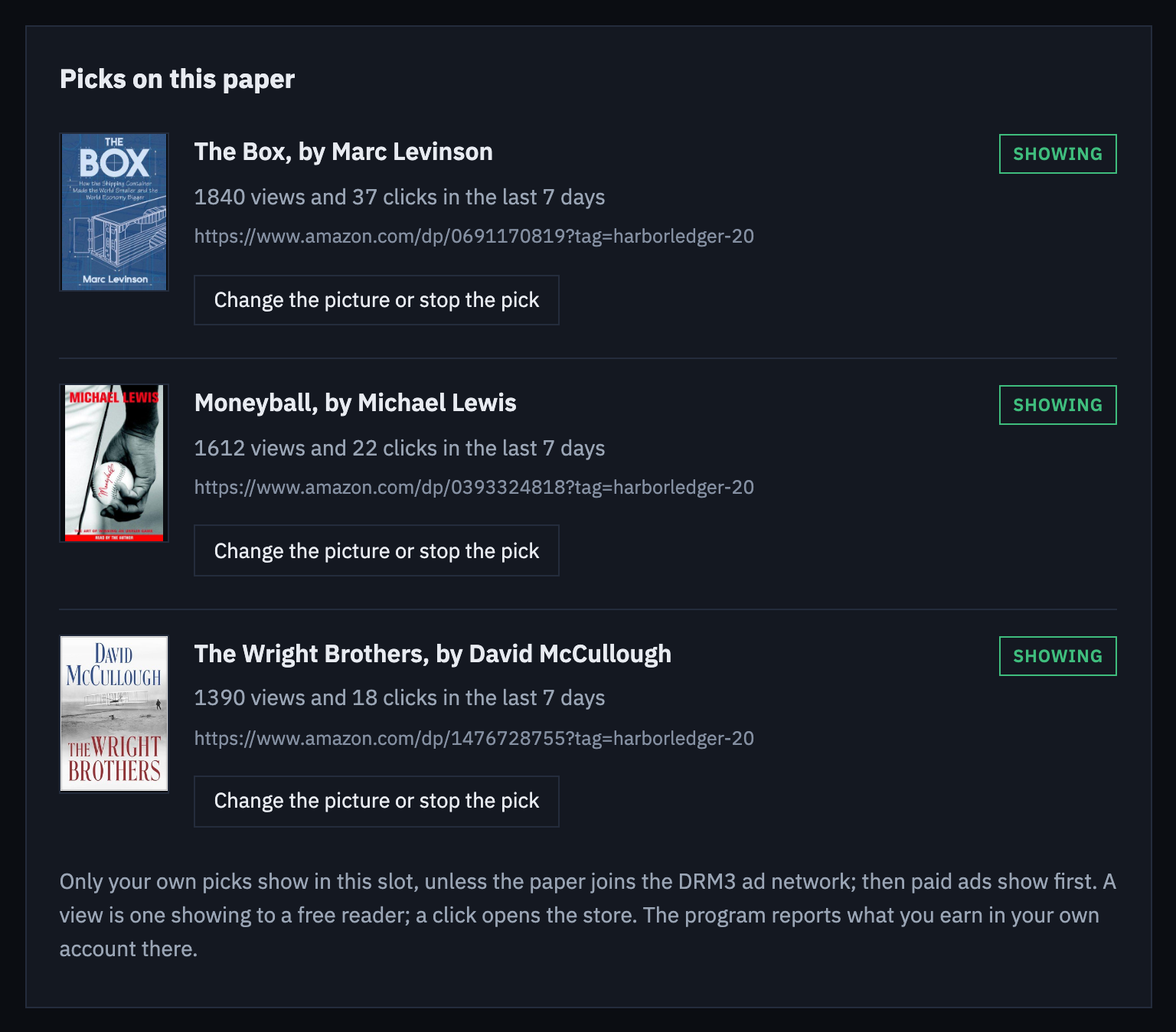
Each pick lists its views and clicks over the last 7 days. A view is one showing to a free reader, and a click opens the store. Amazon reports what you earn in your Associates account. To change a picture, open Change the picture or stop the pick on its row and press Show found pictures. Stop this pick takes it out of the slot.
That is the whole setup. To see one paper's commission on its own line, make a second tracking id in Amazon Associates and save it in the box for this paper only.